Record it once.
Replay it forever.
TinyTask Pro records mouse clicks and keyboard actions, replays controlled loops, and automates repeatable Windows workflows. Independent software developed and maintained by TinyTask.org.
What’s new in TinyTask
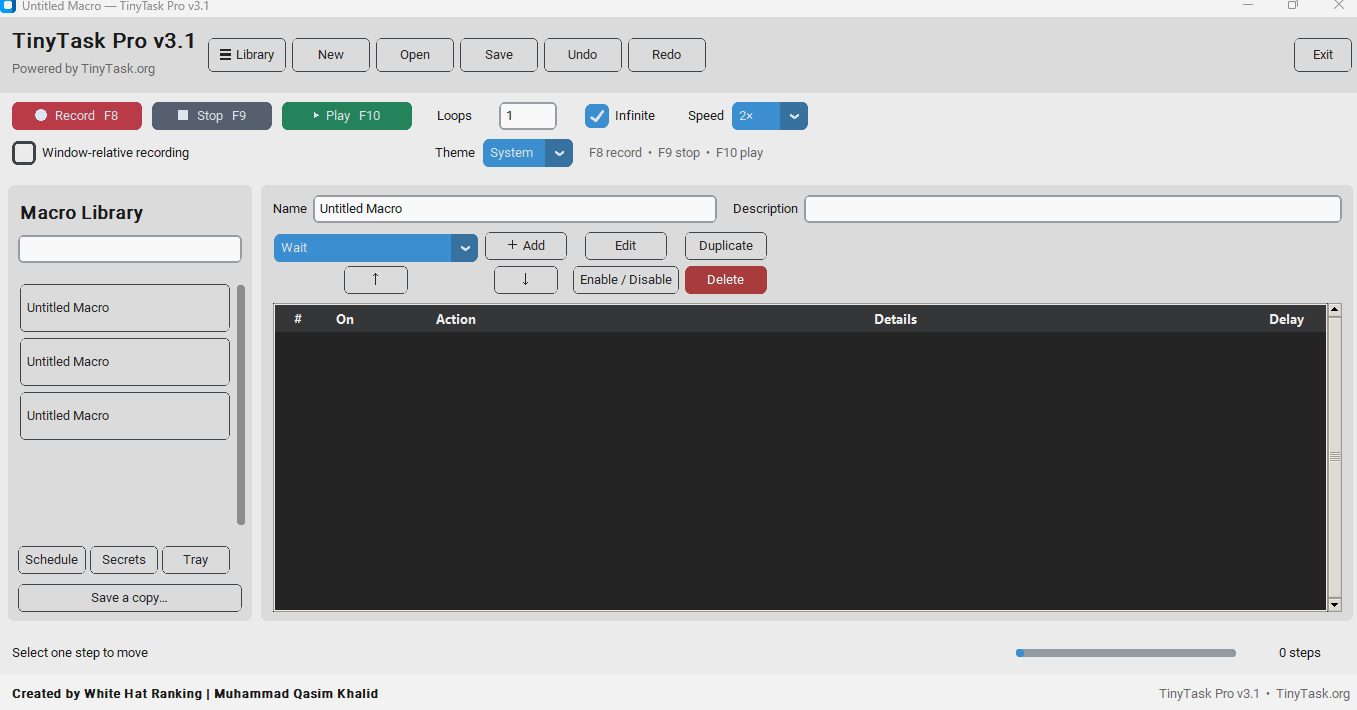
The latest TinyTask Pro release improves keyboard support, playback reliability, and workflow navigation. TinyTask Mailer for Gmail and Outlook email automation extension are available now.
⚡ The latest version of TinyTask is the most complete release yet — with full keyboard support, smarter navigation, and better automation across Excel, forms, and browsers.
What is TinyTask?
Welcome to TinyTask — a powerful and lightweight automation tool designed to help users save time, increase productivity, and eliminate repetitive computer tasks.
Whether you need to automate mouse clicks, keyboard typing, data entry, testing workflows, or routine office tasks — TinyTask provides a simple and intuitive solution.
Mouse Clicks
Record and replay any click action
Keyboard Typing
Automate any repeated text input
Data Entry
Fill forms and spreadsheets instantly
Testing Workflows
Run test sequences with precision
Office Tasks
Automate your daily routine work
Automate repetitive tasks with ease
TinyTask enables users of all experience levels to record actions and replay them automatically. No coding or technical expertise is required — just record, save, and replay.
💡 Anyone can use TinyTask — from office workers handling admin tasks to developers running test workflows. For supported Windows workflows, TinyTask can record and replay your mouse and keyboard actions.
Save time daily
Reclaim hours spent on repetitive tasks
Boost productivity
Get more done in less time, effortlessly
Simple to use
No technical skills needed — anyone can start
Stop wasting hours on tasks you could automate
Many computer users spend hours performing repetitive actions every day, clicking buttons, filling forms, entering data, copying and pasting. TinyTask was built to solve exactly this problem.
// Sound familiar?
TinyTask gives you the power to record actions once and replay them whenever needed. With a clean, modern interface and powerful automation features, you can reclaim hours of your day — every single day.
Fast to set up
Record your first macro in under a minute
Precise playback
Replays actions exactly as you recorded them
Work smarter
Focus your energy on work that actually matters
🖱️ Mouse Automation
TinyTask lets you record mouse actions and replay them with precision — saving hours of repetitive work every week.
Common use cases
How it works
Simply press Record, perform your actions, and save the macro for future use.
⌨️ Keyboard Automation
Typing the same text repeatedly can waste valuable time. TinyTask records keyboard actions and replays them automatically — so you never have to type it twice.
This feature is useful for
How it works
By automating repetitive typing, users can focus on more important tasks.
TinyTask Chrome Extension for Gmail Email Automation
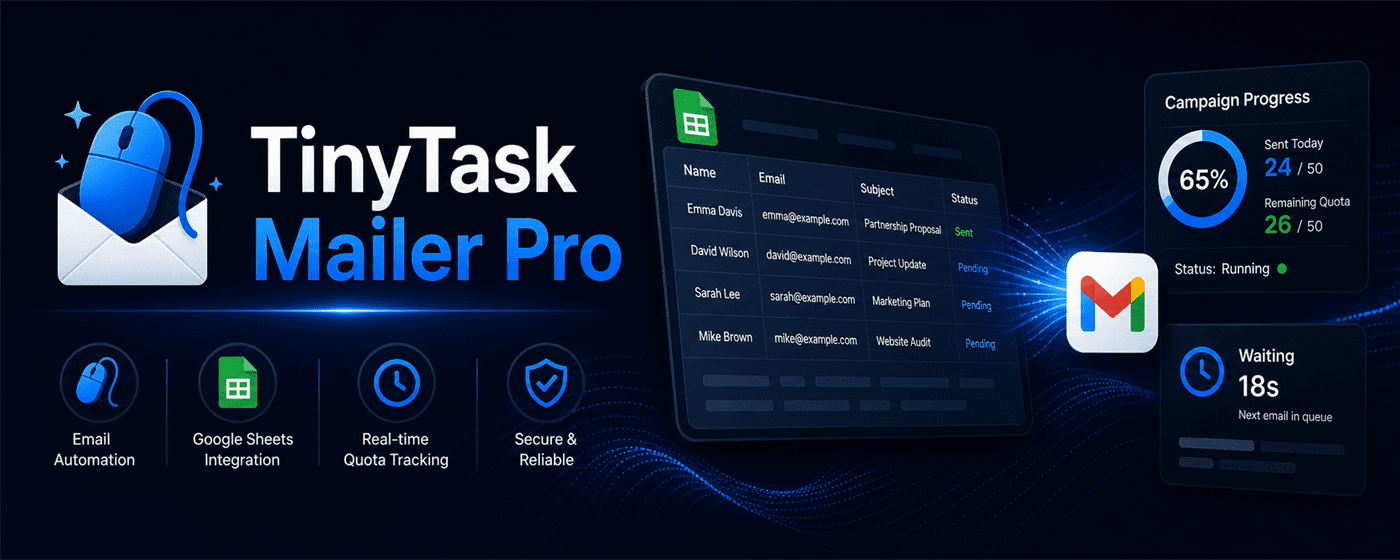
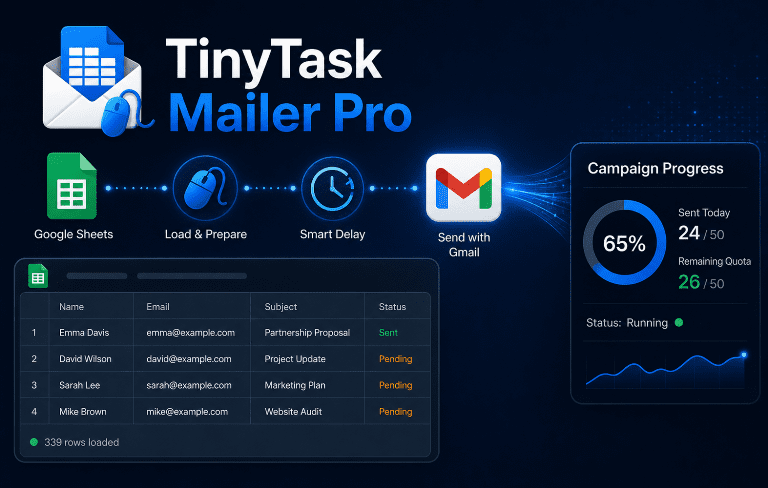
TinyTask is no longer limited to desktop mouse and keyboard automation. The new TinyTask Chrome Extension brings the same productivity-focused idea into the browser, helping users automate Gmail email campaigns with Google Sheets, personalized messages, random sending delay, campaign stop control, resume support, and license-based daily limits.
This extension is built for users who send repeated emails through Gmail and want a cleaner, more organized workflow. Instead of copying email addresses manually, writing the same message again and again, or losing track of campaign progress, TinyTask Chrome Extension helps you load campaign data, send personalized emails, monitor progress, and continue from the saved row when needed.
Gmail Email Automation
Run controlled Gmail campaigns directly inside Chrome using your own Gmail account and a simple browser-based dashboard.
Google Sheets Campaigns
Load names, emails, subjects, and message details from Google Sheets so your campaign data stays organized and easy to update.
Personalized Messages
Use recipient details from your sheet to create more personal Gmail messages instead of sending plain copied text to everyone.
Stop and Resume
Pause a campaign when needed and resume later from the saved campaign row without restarting from the beginning.
Built for professionals who send emails every day
TinyTask Chrome Extension is useful for freelancers, agencies, recruiters, sales teams, consultants, startups, and small businesses that regularly send Gmail outreach, follow-ups, proposals, reminders, or client communication.
The goal is not to replace Gmail. The extension works with Gmail, letting users keep their familiar inbox, sent folder, compose window, and browser workflow while adding campaign automation features around it.
A complete campaign control system, not just a send button
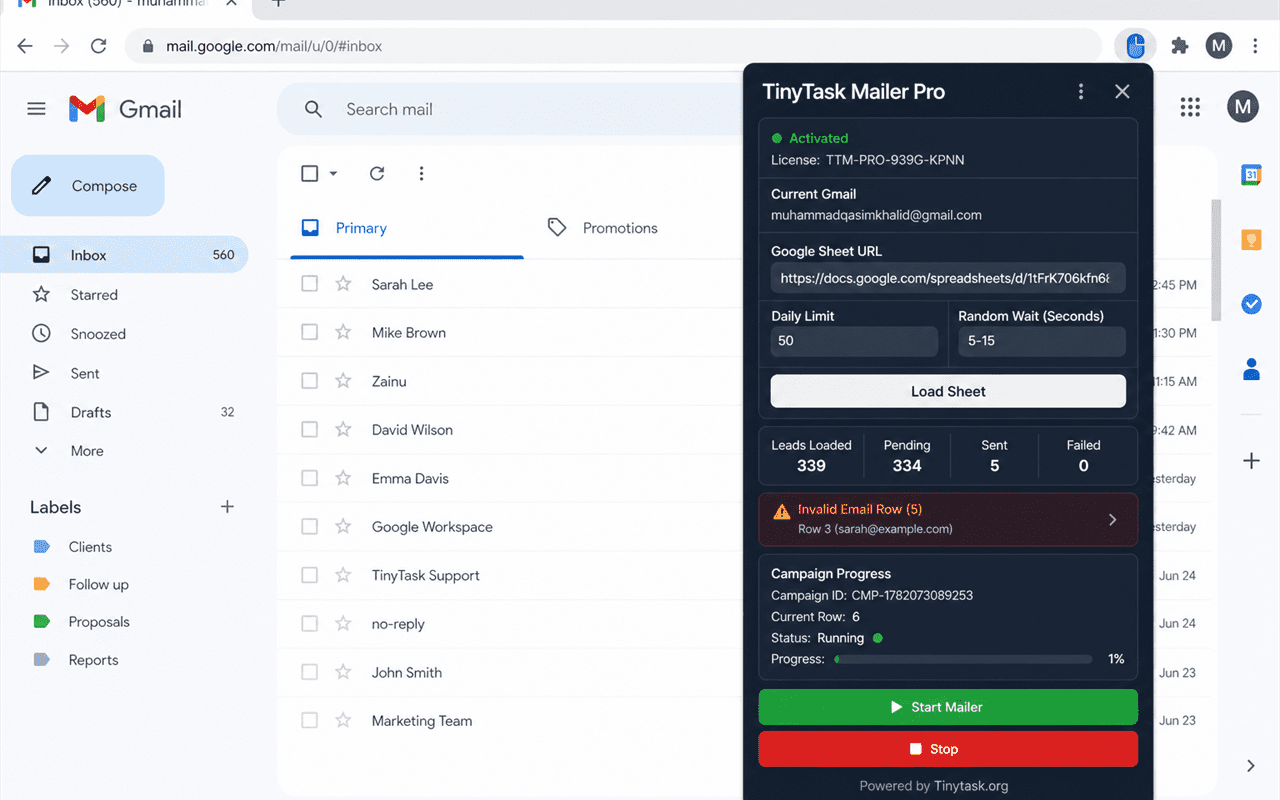
TinyTask Chrome Extension includes license activation, machine activation, daily Gmail usage tracking, campaign progress storage, random delay between emails, and resume support. This gives users more control over how campaigns are started, paused, continued, and monitored.
TinyTask now helps automate more than clicks and keystrokes
The desktop version of TinyTask is built for recording mouse clicks, keyboard actions, loops, and repetitive computer tasks. The Chrome Extension expands the TinyTask ecosystem into email automation, giving users a dedicated Gmail campaign workflow inside Chrome.
Together, TinyTask desktop automation and TinyTask Chrome Extension give users two powerful ways to save time: automate computer actions on Windows and automate repetitive Gmail campaign tasks in the browser.
💡 Use TinyTask desktop software for mouse and keyboard workflows. Use TinyTask Chrome Extension for Gmail email automation and Google Sheets campaign sending.
Explore TinyTask Chrome Extension
Learn how the TinyTask Chrome Extension works, compare license plans, and follow the complete step-by-step guide for Gmail email automation.
TinyTask Outlook Email Automation Extension
TinyTask.org has developed a browser extension for Outlook email automation and Microsoft 365 webmail workflows. It is a separate product from TinyTask Mailer for Gmail and is available for download.
The development roadmap focuses on user-reviewed, permission-based email workflows with recipient data, message personalization, controlled sending pace, progress tracking, and stop-and-resume controls. Final features may change during testing.
Outlook on the web
Planned for Outlook and Microsoft 365 workflows used inside a supported browser.
Controlled campaigns
Designed around deliberate pacing, campaign visibility, and user-controlled sending.
Testing before release
The extension will be published only after compatibility and workflow testing is complete.
Flexible Playback and Workflow Control
Every workflow is different, which is why TinyTask provides multiple playback options to match your automation needs. Combined with built-in emergency stop protection, TinyTask provides complete control over automation execution at all times.
Run Once
Execute a task a single time on demand
Repeat N Times
Replay a set number of times automatically
Infinite Loop
Run continuously until manually stopped
Adjustable Speed
Balance accuracy and performance for any task
Emergency Stop
Instant protection built into every automation
Lightweight, Fast, and Easy to Use
Unlike complex automation platforms that require scripting or technical knowledge, TinyTask focuses on simplicity. The software is lightweight, responsive, and designed to run efficiently on modern Windows systems.
Installation is straightforward, and most users can create their first automation workflow within minutes. With a clean user interface, intuitive controls, and beginner-friendly design, TinyTask makes automation accessible to everyone.
Lightweight
Tiny footprint, runs without slowing down your PC
Fast
Responsive performance on all modern Windows systems
Easy to use
No coding or scripting — anyone can start in minutes
🏆 TinyTask stands out as one of the best automation tools for Windows — combining powerful playback controls with the simplicity that beginners and professionals both need.
Advanced Mouse & Keyboard Automation Software
Get the latest version of TinyTask and start automating repetitive mouse and keyboard tasks today. With advanced automation controls, playback customization, and productivity-focused features, you can work smarter and accomplish more in less time.

“TinyTask made repetitive work easier”
I was looking for a lightweight automation tool that didn’t require programming knowledge. TinyTask was exactly what I needed. Setup took less than five minutes, and I was automating tasks immediately.

“TinyTask macro recording boosted our efficiency!”
The macro recording feature is fantastic. I recorded a workflow once and now run it whenever I need it. It has dramatically improved my productivity.

“TinyTask runs our repetitive workflows smoothly”
The playback speed controls and infinite loop options make TinyTask much more flexible than other automation tools I have tried. Highly recommended for repetitive workflows.
Save Time and Improve Productivity
Time is one of the most valuable resources for individuals and businesses. TinyTask helps users eliminate repetitive manual tasks by automating common workflows that would otherwise consume valuable working hours.
Hours Saved
Stop wasting time on tasks that repeat every single day
Consistent Playback
Saved workflows replay the same recorded sequence consistently
High-Value Focus
Free your mind for work that actually needs your attention
Instead of repeating the same mouse clicks, keyboard entries, or navigation sequences every day, users can create automation workflows that execute tasks consistently and accurately. This allows professionals to focus on high-value activities while routine processes are handled automatically.
Whether you are managing spreadsheets, entering customer information, processing documents, or performing repetitive online tasks, TinyTask helps improve efficiency and reduce workload across every workflow.
// Common use cases
💡 TinyTask is built for everyone — from solo professionals to entire teams. Learn more about the benefits of workflow automation and discover how much time you can reclaim starting today.
FAQs About TinyTask
TinyTask is designed for users across a wide range of industries and professions.
Office Professionals
Automate repetitive administrative work, data entry, document processing, and routine computer tasks.
Customer Support Teams
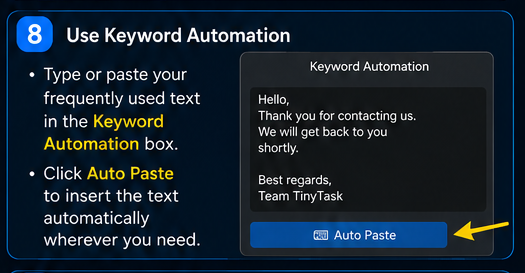
Save time by automating common responses and frequently used text through keyboard automation.
01 Is it safe to use TinyTask?
Yes. TinyTask is safe to use. You can verify this independently via the Norton SafeWeb Review — TinyTask.org is rated safe by Norton’s security analysis.
02 Does TinyTask work on Roblox?
Yes, TinyTask can work with Roblox, but there are important limitations that every player should understand before using it. Always review Roblox’s terms of service before automating any in-game actions.
03 Are TinyTask.org and TinyTask.net the same?
TinyTask Pro is independently developed by Muhammad Qasim Khalid and distributed by TinyTask.org. It is a new automation product and is not a mirror, modification, or repackaged copy of TinyTask 1.77 from tinytask.net.
04 Is TinyTask desktop software free to use?
Yes. TinyTask desktop software is free to download and use. TinyTask Mailer browser-extension plans are listed separately on the pricing page.
05 Can I automate mouse clicks and keyboard actions?
Yes. TinyTask supports both mouse and keyboard automation, allowing users to create custom workflows and reusable macros for any repetitive task.
06 Is TinyTask compatible with Windows 11?
Yes. TinyTask is optimized for modern Windows environments, including both Windows 10 and Windows 11.
07 Can I save automation workflows?
Yes. Users can save and load macros, making it easy to reuse automation sequences whenever needed — no need to re-record the same workflow twice.
08 Outlook email automation extension?
Yes — an Outlook-focused browser extension is now available at the Google Chrome store.
09 Does TinyTask Pro work on Chromebook?
TinyTask Pro is currently designed for Windows and does not run natively on ChromeOS. If your Chromebook can access a Windows PC through Remote Desktop, you can use TinyTask Pro on that Windows machine. We are also exploring broader cross-platform support as TinyTask Pro continues to evolve.
Latest TinyTask Guides
Read the newest TinyTask tutorials, safety guides, troubleshooting articles and automation updates.
TinyTask Pro vs Pulover’s Macro Creator
TinyTask Pro vs Pulover’s Macro Creator Automation Comparisons TinyTask Pro vs Pulover’s Macro Creator A direct recorder against a command-based script generator....
ComparisonTinyTask Pro vs Microsoft Power Automate Desktop
TinyTask Pro vs Microsoft Power Automate Desktop Automation Comparisons TinyTask Pro vs Microsoft Power Automate Desktop Two tools, two levels of complexity. Here...
ComparisonAuto clicker vs macro recorder: when to use TinyTask Pro
Auto Clicker vs Macro Recorder: When to Use TinyTask Pro Automation Guides and Tutorials Auto clicker vs macro recorder: when to use TinyTask Pro The terms get us...
TroubleshootingTinyTask Pro Saved Macro Will Not Open: Recovery and Prevention
TinyTask Pro Macro Won’t Load: How to Fix It TinyTask Pro Macro Won’t Load: How to Fix It Quick answer: Make a copy of the macro before troubleshooting. Confirm t...
TroubleshootingTinyTask Macro Runs Slower Than the Recording: Causes and Fixes
Why is playback slow or delayed? Troubleshooting guide Why is playback slow or delayed? A step-by-step way to tell whether the delay comes from TinyTask Pro’s pla...
Setup guideHow to Verify a TinyTask Pro Download with SHA-256 on Windows
TinyTask Pro Verification Guide Quick answer: Run Get-FileHash with SHA-256 on the downloaded file and compare the complete result with the hash published for tha...